
Get LightningWX
One installer for Windows 10 and 11 (64-bit). Five days of the full product, free.
How the Trial Works
- Create your free LightningWX account (with 2-factor sign-in).
- Download the installer from My Account and run it.
- Sign in inside LightningWX. Your 5-day trial of the full product starts then.
- When it ends, buy the software ($139) and choose a Full LightningWX plan, or keep watching with Basic Radar after you buy.
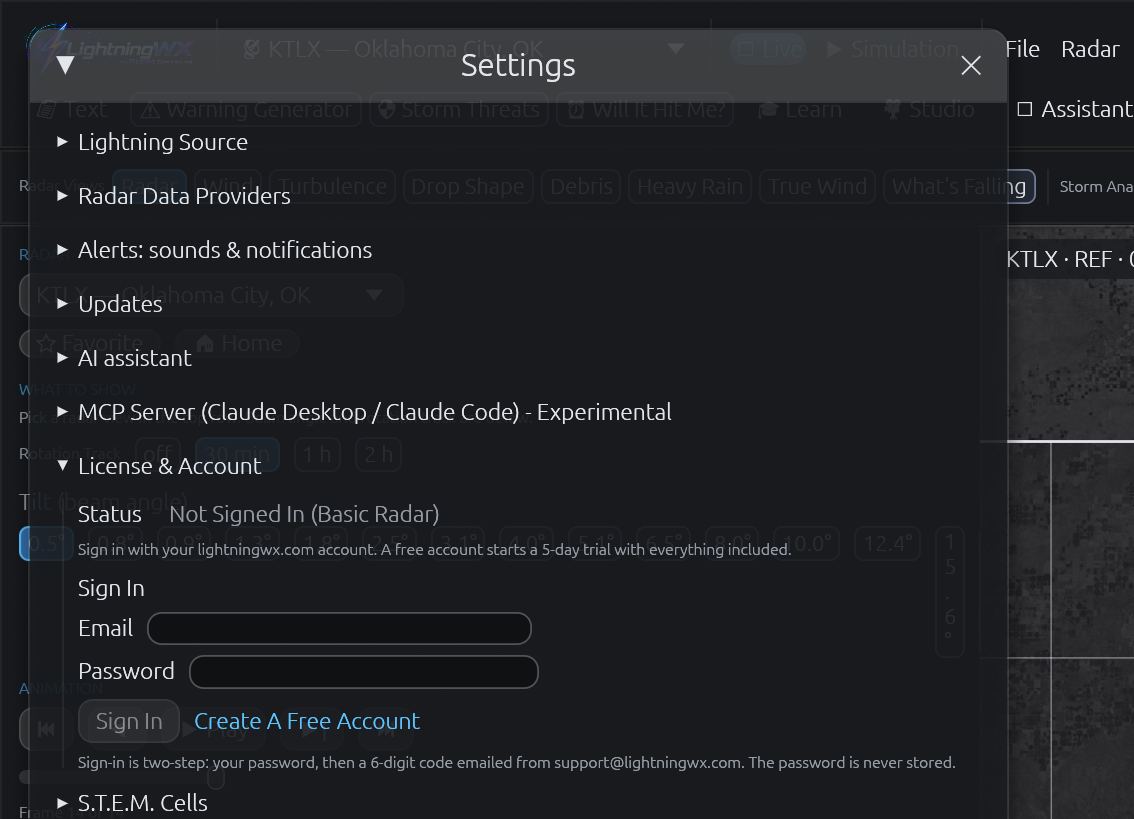
Sign In
Open Settings, then License & Account, and sign in with your lightningwx.com account.
Pick Your Radar
Type a city or radar ID in the site box at the top left.

Watch It Live
Radar, lightning and NWS warnings draw themselves. The loop starts right away.

Ask the Big Question
Click Will It Hit Me? and then a storm to see when it reaches you.


What Your PC Needs
Windows 10 or 11, 64-bit
A graphics card with current drivers (radar is drawn on the GPU)
An internet connection for live data; LightningWX checks in at least every 7 days
Room for the install and your radar history (a few GB to start)
During setup you’ll see the S.T.E.M. Cells agreement, which explains exactly what research data is sent and what never is.
Not sure yet? See the full list of LightningWX radar, lightning and storm tracking features or compare Basic Radar and the Full subscription.
The free trial needs a LightningWX account, so create one (or sign in) and this page gives you your download.
